

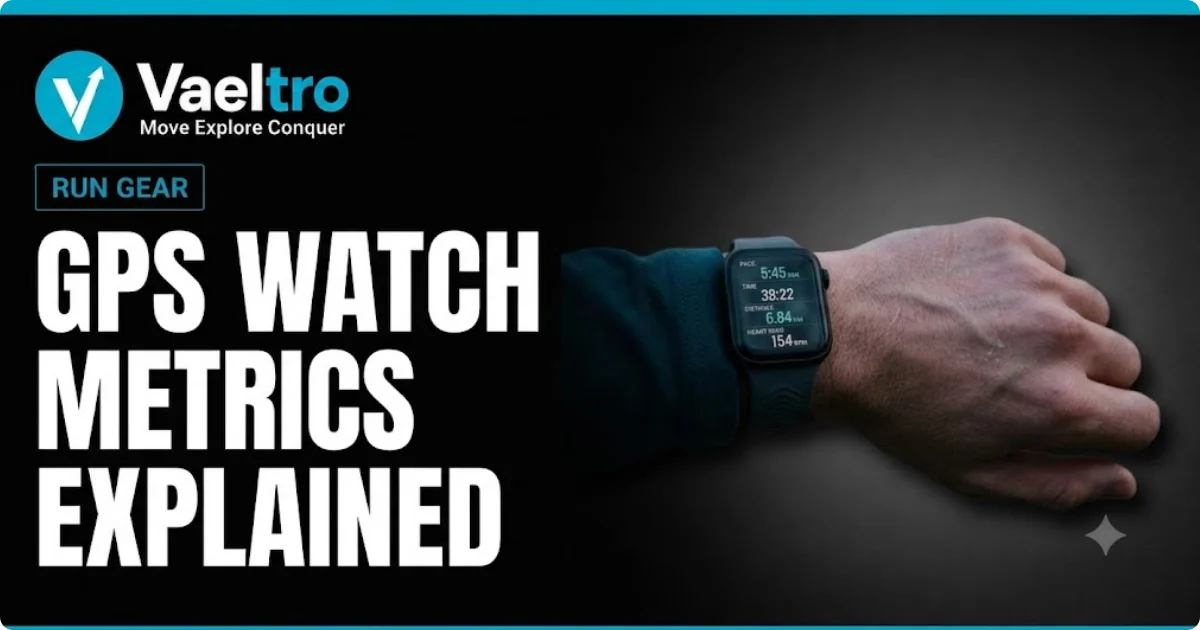
You bought the watch. You strap it on every run. But then you open Garmin Connect or COROS app and see fifteen different numbers staring back at you and half of them make no sense.
What is ground contact time, and should it be higher or lower? Why does your VO2 max drop after an easy run? Is your cadence too slow, or does it even matter? These are fair questions, and most watch manufacturers do a poor job of answering them.
This guide breaks down the metrics that actually matter, explains what they mean in plain terms, and tells you when to pay attention to them and when to ignore them completely.
Quick Answer
GPS running watch metrics like VO2 max, cadence, and ground contact time measure different aspects of your running efficiency and fitness. VO2 max estimates your aerobic capacity, cadence tracks your step rate, and ground contact time reflects how long your foot stays on the ground with each stride. Not every metric needs your daily attention the key is knowing which ones to act on and which to treat as background noise.
What Your GPS Watch Is Actually Measuring
Before diving into specific metrics, it helps to understand how your watch collects data in the first place. Most of what your watch reports is not a direct measurement it is an estimate built from sensor data and algorithms.
How Optical Heart Rate Sensors Work
The optical heart rate sensor on your wrist uses green LED lights to detect blood flow through your capillaries. When your heart beats, more blood moves through the vessels near your skin. The sensor reads that change in light absorption and translates it into a beats-per-minute reading.
It works reasonably well at steady efforts. During interval training, sprint sessions, or races where your heart rate spikes quickly, wrist-based sensors can lag behind by five to fifteen seconds. For accurate real-time heart rate during hard efforts, a chest strap is still the more reliable option.
How GPS Tracks Your Pace and Distance
Your watch connects to multiple satellite networks GPS, GLONASS, Galileo, or a combination to triangulate your position as you move. It records position points at regular intervals and calculates your distance and pace from those points.
In open environments with a clear sky view, modern GPS watches are accurate to within one to three percent of actual distance. That margin increases in dense urban areas, under heavy tree cover, or in deep canyons where satellite signals bounce off surfaces. This matters if you train on a track or a certified course and notice your watch reading slightly short or long.
VO2 Max The Number Every Runner Obsesses Over
What VO2 Max Actually Means
VO2 max is your body’s maximum oxygen consumption during intense exercise, measured in milliliters of oxygen per kilogram of body weight per minute (mL/kg/min). At a basic level, it tells you how efficiently your cardiovascular system can deliver and use oxygen while you run hard.
A higher VO2 max generally means a higher ceiling for aerobic performance. Elite marathon runners typically have VO2 max values above 70 mL/kg/min. Recreational runners commonly fall in the 40 to 55 range. Your exact number matters less than the direction it moves over time.
How Garmin and COROS Estimate Your VO2 Max
Neither Garmin nor COROS measures your VO2 max directly that requires a lab test with a metabolic analyzer. Instead, they estimate it using heart rate data, pace, and running power (if available) during outdoor runs or structured workouts.
Garmin uses an algorithm developed in partnership with Firstbeat Analytics. It analyzes the relationship between your running pace and your heart rate to produce an estimate. COROS uses a similar approach but factors in additional data from its training load system. Both platforms update the estimate as you run more and provide more data.
Samsung’s Galaxy Watch and Apple Watch also offer VO2 max estimates, though their algorithms are calibrated differently and the numbers are not always comparable to Garmin or COROS values for the same runner. Do not compare your VO2 max number across platforms as if they are the same measurement.
What Is a Good VO2 Max for Runners
| Runner Profile | Male VO2 Max (mL/kg/min) | Female VO2 Max (mL/kg/min) |
|---|---|---|
| Recreational (ages 30s) | 45–55 | 38–47 |
| Competitive / Serious Recreational | Above 60 | Above 50 |
| Elite Marathon Runner | Above 70 | Above 60 |
Rather than chasing a specific number, focus on what is normal for your age, sex, and training background.
For male runners in their 30s, a VO2 max between 45 and 55 is considered average to good. For female runners in the same age range, 38 to 47 is a comparable range. Values above 60 for men and above 50 for women are typically associated with competitive or serious recreational runners.
These are general reference points, not targets. Your VO2 max is partly determined by genetics, so two runners with identical training histories can have meaningfully different numbers.
How to Improve Your VO2 Max Score
VO2 max responds most strongly to high-intensity aerobic work. Interval sessions run at your VO2 max pace typically your best 6-minute-mile effort or 10K race pace are the most direct stimulus. Tempo runs and sustained hard efforts also contribute.
Easy mileage alone does not move VO2 max significantly. If your watch’s VO2 max estimate has plateaued, it is usually a sign that your training lacks high-intensity work, or that you have been running too easy for your watch to collect useful data.
Cadence Steps Per Minute and Why It Matters
What Is Running Cadence
Cadence is the number of steps you take per minute while running. Your watch measures it using an accelerometer in the device or, on some models, a separate footpod sensor. Most watches display it as total steps per minute from both feet combined.
It is one of the most straightforward metrics your watch collects. Unlike VO2 max, cadence is a direct measurement with no algorithm between you and the number.
What Cadence Should You Target
The widely repeated target of 180 steps per minute comes from research by coach Jack Daniels, who observed that elite runners at the 1984 Olympics rarely dropped below that threshold. The practical implication is that higher cadence often correlates with shorter ground contact time and a more efficient stride.
For most recreational runners, a cadence between 160 and 170 steps per minute is common. Pushing toward 180 can improve form for some runners particularly those who overstride and land with a heavy heel strike but it is not a universal prescription.
Your ideal cadence depends on your speed. Cadence naturally increases as you run faster. Comparing your cadence at an easy pace to your cadence during a tempo run is not a useful comparison. Look at cadence consistency within a given pace range instead.
How to Use Cadence Data Without Overthinking It
The most practical use of cadence data is spotting sudden changes. If your cadence drops noticeably mid-run at the same effort level, it often signals fatigue. If your cadence is consistently low at easy paces and you experience recurring shin or knee issues, a small cadence increase five to ten steps per minute may be worth exploring with a running coach or physio.
Do not try to force a specific cadence number. Runners who attempt to dramatically increase cadence without addressing their overall form tend to create new problems rather than solve existing ones.
Ground Contact Time The Metric Most Runners Ignore
What Is Ground Contact Time
Ground contact time (GCT) is the duration measured in milliseconds that your foot stays in contact with the ground during each stride. On most Garmin and COROS watches, it is measured using the optical sensor and accelerometer, though a chest strap with a running dynamics pod provides a more accurate reading.
A typical ground contact time for recreational runners ranges from 220 to 300 milliseconds. Elite runners often fall below 200 milliseconds. The lower the number, the less time your foot spends on the ground per stride.
What Does Ground Contact Time Tell You
Shorter ground contact time generally reflects a more explosive, efficient running stride. Longer contact time often correlates with a slower, more shuffling gait not always a problem, but worth noting as a data point alongside your pace and heart rate.
Ground contact time increases when you are fatigued. If you track GCT during a long run, you will typically see it lengthen in the final miles as your muscles tire and your form degrades. That pattern is a useful indicator of fatigue beyond what heart rate alone shows.
Ground contact time also tends to decrease as pace increases. A sprinter’s GCT looks very different from a long slow distance runner’s, and that is expected.
Ground Contact Time Balance
Garmin and some COROS models also report ground contact time balance the percentage split between your left and right foot. A perfectly balanced runner lands at 50/50. A meaningful imbalance (outside of 48/52) can sometimes indicate a gait asymmetry, a weak side, or compensation from an injury.
This metric is more useful for runners dealing with recurring one-sided injuries than for general training purposes. It is the kind of metric to check occasionally, not monitor obsessively.
Running Power A Smarter Alternative to Pace
What Is Running Power
Running power estimates the mechanical energy output of your running in watts, similar to how cycling power meters measure effort on a bike. On Garmin watches, running power is calculated using pace, elevation change, wind resistance (on select models with CIQ sensors), and other movement data. COROS has built running power into its training ecosystem as a core metric.
Unlike pace, running power accounts for terrain. Running up a 6% incline at a nine-minute-mile pace requires significantly more effort than running on flat ground at the same pace. Power reflects that difference; pace does not.
How Running Power Differs From Cycling Power
Cycling power meters measure force applied to the pedals directly. Running power is always an estimate no wrist-based device measures the force of your foot strike and propulsion directly. The values Garmin and COROS produce are calculated from motion data, not force plates.
That matters for one reason: running power numbers are not transferable across platforms. Your Garmin running power zones are not the same as your COROS zones. Do not use one platform’s power targets on another platform’s watch.
When Running Power Is Worth Using
Running power becomes genuinely useful when training on hilly terrain. If you do a lot of trail running or road running with significant elevation change, power-based training helps you maintain consistent effort regardless of the gradient. Many runners who switch to power on hilly routes report more even-paced long runs and better recovery.
For flat road runners, pace and heart rate together already provide most of what power adds. Power is a tool worth exploring once you understand the fundamentals, not a prerequisite for every runner.
Training Load, Recovery, and Body Battery
Training Load and Training Status
Training load measures the accumulated physiological stress of your recent workouts. Garmin expresses this as a weekly load score built from heart rate, duration, and intensity. COROS uses a similar calculation within its training load framework.
Training status labels like “Productive,” “Peaking,” “Maintaining,” or “Overreaching” is your watch’s interpretation of whether your current load is building fitness or wearing you down. These labels are directionally useful but imprecise. They are best read as one input among several, not as training prescriptions.
If your watch says “Overreaching” but you feel fine, trust how you feel. If it says “Productive” and you feel exhausted, trust your body. The algorithm does not know about your sleep quality, stress, nutrition, or life outside running.
Body Battery and HRV Status
Garmin’s Body Battery uses heart rate variability (HRV), sleep data, stress levels, and activity to assign a score from 0 to 100 reflecting your readiness to train. COROS reports HRV status as a morning readiness measure.
HRV the variation in time between heartbeats is a genuine physiological signal of recovery and autonomic nervous system balance. A higher HRV generally reflects better recovery. Your watch reads HRV during sleep for the most accurate measurement.
The numbers themselves matter less than your personal trends. After two to three weeks of consistent wear, you will start to see your own baseline. Dips below that baseline after poor sleep or a hard training block are the signal worth paying attention to.
How to Actually Use Recovery Metrics
The most practical approach is to check recovery metrics before a hard session, not after every run. If your Body Battery is low and your HRV is trending down, that day is probably not the right day for an interval workout. A short easy run or rest day will serve your training better than forcing quality work on a depleted system.
Recovery metrics are most valuable over a two-week window, not a single day. A single bad night of sleep will register as a dip. A week of poor recovery scores alongside accumulated fatigue is the pattern worth acting on.
GPS Accuracy How Much Should You Trust Your Watch
What Affects GPS Accuracy
Several factors affect how accurately your watch tracks distance and pace:
Satellite system selection. Most modern watches offer multi-band or multi-frequency GPS modes that use multiple satellite systems simultaneously. These modes are more accurate, especially in difficult environments, but they drain the battery faster. Standard GPS mode is sufficient for most road running.
Environmental interference. Tall buildings, dense tree cover, and running in narrow canyons all reduce satellite signal quality. Your watch compensates using accelerometer data during brief signal loss, which introduces small errors.
Watch fit and movement. A watch that moves around on your wrist affects optical sensor readings, which in turn affects metrics derived from heart rate data. A snug fit not tight enough to restrict circulation improves accuracy.
Garmin vs COROS vs Samsung GPS Performance
| Platform | GPS Accuracy | Best For |
|---|---|---|
| Garmin | Excellent — multi-band across mid and premium range | Competitive runners, trail, data-focused training |
| COROS | Excellent — multi-band with strong training ecosystem | Endurance athletes, trail and ultra runners |
| Samsung Galaxy Watch | Good — solid for everyday runners, weaker in challenging terrain | Casual and everyday runners |
| Apple Watch | Good — reliable on roads, less consistent for competitive use | Casual runners, general fitness tracking |
Garmin and COROS are widely regarded as the two most accurate GPS platforms available to recreational and competitive runners. Both brands have invested heavily in multi-band GPS technology across their mid-range and premium lineups.
Samsung Galaxy Watch devices have improved meaningfully in recent generations and perform well for everyday runners. However, they are generally behind Garmin and COROS in satellite acquisition speed and accuracy during challenging conditions like dense urban environments or trail running under heavy canopy.
Apple Watch GPS performance is solid for road running and casual use. Competitive or data-focused runners who rely on precise split times and elevation accuracy tend to find dedicated running watches more consistent.
Which Metrics Actually Matter for Your Training
| Review Frequency | Metrics |
|---|---|
| After every run | Pace, distance, heart rate, training load contribution |
| Weekly | VO2 max trend, cadence average, training status |
| Occasionally | Ground contact time, GCT balance, running power zones |
| During training blocks | HRV status, Body Battery trends over one to two weeks |
With so many metrics available, the practical challenge is knowing where to put your attention. A useful starting point is separating the metrics worth checking regularly from those you can review occasionally.
Check after every run: Pace, distance, heart rate, training load contribution.
Check weekly: VO2 max trend, cadence average, training status.
Check occasionally: Ground contact time, GCT balance, running power zones.
Check during training blocks: HRV status, Body Battery trends over one to two weeks.
The runners who improve most from data are not the ones tracking everything they are the ones who pick two or three metrics, understand them well, and use them consistently to inform decisions.
If you are new to GPS watch metrics, start with heart rate and cadence. Once those feel intuitive, add VO2 max trend and ground contact time. Build your metric vocabulary gradually, the same way you build mileage.
Final Verdict
GPS running watch metrics are powerful when understood and genuinely useful when applied to real training decisions. VO2 max tracks your aerobic ceiling over time. Cadence flags stride efficiency and fatigue. Ground contact time reflects form under load. Running power gives you terrain-neutral effort data. Recovery metrics tell you when to push and when to hold back.
No single metric tells the whole story, and none of them should override how your body actually feels. The most useful habit is treating your watch data as one reliable voice in the conversation — not the final word. Learn the metrics that are most relevant to your current training phase, use them consistently, and let them sharpen decisions you were already making instinctively.
That is when a GPS watch earns its place on your wrist.
